iOS 27.0.1 Is the Latest iPhone Update: Compatible iPhones, Battery Drain, Problems and Fixes
Apple's latest public iPhone software is iOS 27.0.1. Check compatible iPhones, what's fixed, why battery drain or heating may occur after updating, and how to solve common iOS 27 update problems.
Modern iPhone representing the iOS 27.0.1 software update, battery troubleshooting and compatibility guide
Table of Contents (29 sections)
If your iPhone is showing an iOS 27 update, experiencing faster battery drain after installation, becoming warmer than usual or refusing to complete the update, the first thing to check is the exact software version.
As of October 7, 2026, Apple's latest publicly released iPhone operating system is iOS 27.0.1.
Apple released the main iOS 27 update on September 14, 2026, followed by iOS 27.0.1 on September 28. Apple's current security-release page identifies iOS 27.0.1 as the latest version of iOS and iPadOS.
Recommended Reading
Related Stories & In-Depth Guides
Curated editorial perspectives matching this topic.
Apple has launched HomeView, its new 7-inch smart-home display, alongside a new Apple TV 4K, HomePod mini 2 and Apple Home Collection. Here are the confirmed India prices, release dates, features and buying considerations.
Apple Pay is now live in India with eligible Axis Bank Visa and Mastercard credit cards. Here is how it compares with UPI Tap & Pay on support, fees, devices, security and everyday usefulness.
That distinction matters because users may already see reports online about later iOS 27.x builds under testing. A beta build should not be confused with the latest stable software offered to ordinary iPhone users.
For most users, the more useful questions are not simply what new features iOS 27 contains, but:
Is my iPhone compatible?
Should I install iOS 27.0.1?
Why is my battery draining faster?
Is post-update heating normal?
Why won't the update install?
What should I do if the update gets stuck?
Can I downgrade afterward?
Are all iOS 27 features available on every compatible iPhone?
Here is the current verified position and a practical troubleshooting guide.
What Is the Latest iOS Version Right Now?
Apple currently lists:
Latest public iOS version: iOS 27.0.1
Release date: September 28, 2026
Major iOS 27 release date: September 14, 2026
Apple's iOS 27.0.1 release notes describe it primarily as a bug-fix update, rather than another major feature release.
If your iPhone already runs iOS 27.0, checking for iOS 27.0.1 is therefore worthwhile.
To see your installed version:
Settings → General → About → iOS Version
To check for an available update:
Settings → General → Software Update
Apple says the Software Update page will show only software compatible with your particular iPhone.
What Does iOS 27.0.1 Fix?
Apple lists three specific fixes in iOS 27.0.1.
Unexpected iPhone 18 Pro Restarts
Apple says iPhone 18 Pro and iPhone 18 Pro Max could unexpectedly restart when Face ID failed to authenticate.
The 27.0.1 update addresses that problem.
Camera Color Artifacts
Apple also identified an issue where a colour artifact could appear in some photographs captured at 2x under certain lighting conditions on a small number of iPhone 18 Pro and Pro Max devices.
That issue is also included among the fixes.
Touchscreen Freezing
Apple says opening Notification Center and Control Center simultaneously could cause the touchscreen to become unresponsive.
iOS 27.0.1 includes a fix for that behaviour as well.
These are Apple's officially documented fixes.
They should not be interpreted as confirmation that every battery, heating, connectivity or application complaint reported by an individual user is necessarily an iOS 27 bug.
Which iPhones Support iOS 27?
Apple's compatibility documentation starts with the iPhone 11 generation and iPhone SE second generation.
Supported models include the following families:
iPhone 18 Pro and iPhone 18 Pro Max
iPhone 17, iPhone 17 Pro and iPhone 17 Pro Max
iPhone 17e
iPhone Air
iPhone 16, 16 Plus, 16 Pro and 16 Pro Max
iPhone 16e
iPhone 15, 15 Plus, 15 Pro and 15 Pro Max
iPhone 14, 14 Plus, 14 Pro and 14 Pro Max
iPhone 13, 13 mini, 13 Pro and 13 Pro Max
iPhone 12, 12 mini, 12 Pro and 12 Pro Max
iPhone 11, 11 Pro and 11 Pro Max
iPhone SE, second generation
iPhone SE, third generation
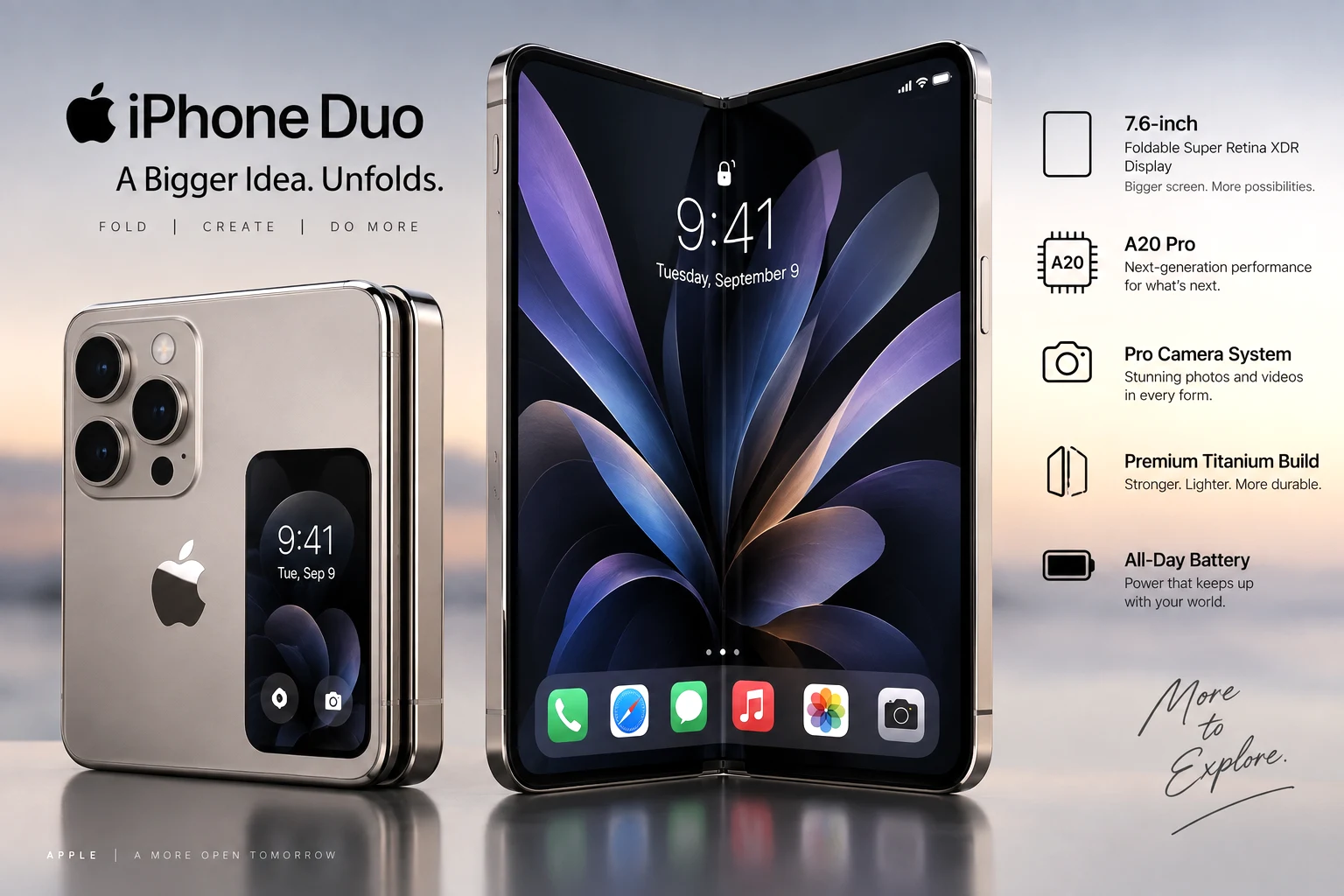
Apple's current iOS 27 product page also lists the upcoming iPhone Duo as compatible.
What About iPhone XR, XS and XS Max?
They are not included in Apple's iOS 27 compatibility list.
Apple's iOS 27 support begins with iPhone 11-era hardware and the second-generation iPhone SE.
Compatible Does Not Mean Every Feature Works
This is an important distinction.
An iPhone may support iOS 27 itself without supporting every iOS 27 feature.
The biggest example is the newer generation of Apple Intelligence and Siri AI.
Apple says the latest Apple Intelligence features require:
iPhone 15 Pro
iPhone 15 Pro Max
iPhone 16 family or newer compatible models
That means an iPhone 11, 12, 13, 14 or standard iPhone 15 may run iOS 27 while still lacking some of the operating system's AI functions.
Availability can also vary according to language, region, hardware and carrier.
Why Is My iPhone Battery Draining Faster After iOS 27?
This is likely to remain one of the most searched questions surrounding iOS 27.
Some iPhone owners have reported heavier battery consumption after installing the major update, but individual reports do not establish that every iPhone running iOS 27 has a common battery defect.
More importantly, Apple itself warns that battery life may temporarily decrease after a software update.
The reason is that installation does not necessarily mean every update-related task has finished.
Your iPhone may continue performing work in the background, including system optimisation and setup-related processing.
Apple specifically advises users who notice reduced battery life after updating to wait a few days and check again.
Step 1: Check Whether iOS Is Still Finishing the Update
Go to:
Settings → Battery
Look above the Daily Usage section.
Apple says you may see an insight labelled:
Ongoing iOS Update
This means tasks associated with a recent software update are still being completed in the background.
During that period, battery consumption and thermal activity may temporarily be higher.
If that message is present, immediately assuming the battery itself has become defective may be premature.
Step 2: Compare Battery Usage With Your Normal Pattern
Still under:
Settings → Battery
Look at the Daily Usage chart.
Apple now compares your current battery use with the previous seven days and may indicate whether your consumption is:
higher than usual;
similar to usual; or
lower than usual.
Then inspect App and System Activity Usage.
This can reveal whether one particular app is consuming unusually high amounts of power.
Step 3: Look for Background Activity
An app can consume significant power without being visible on the screen.
Apple's battery information identifies Background Activity separately.
Examples can include:
photo syncing;
location activity;
email retrieval;
music playback;
navigation;
cloud synchronisation; and
other background processing.
If one application dominates the battery chart after the operating-system update, the issue may be related to that app rather than iOS alone.
Check whether an updated version of the app is available before making major changes to the phone.
Step 4: Check Mobile Signal Strength
Poor mobile reception can consume substantial battery power because the device may spend more energy maintaining or searching for a connection.
Apple's battery screen can identify No Mobile Coverage and Low Signal as a source of battery use.
This is especially important when comparing battery life before and after an update.
If your location, carrier conditions or network type have also changed, the software update may not be the only variable.
Step 5: Check Battery Health
Older iPhones naturally lose battery capacity over time.
Depending on the model, check:
Settings → Battery → Battery Health
or:
Settings → Battery → Battery Health & Charging
Apple notes that rechargeable batteries have a limited lifespan and may eventually require service or replacement.
If the Battery Health screen shows Service, Apple recommends considering battery replacement to restore capacity and performance.
A major software update can make existing battery limitations more noticeable, but it does not necessarily mean the update permanently damaged the battery.
Should You Use Low Power Mode?
Yes, if you temporarily need longer battery life.
Go to:
Settings → Battery → Power Mode → Low Power Mode
Low Power Mode reduces or disables some background operations and visual effects to lower power consumption.
Apple says it automatically switches off after the device charges above 80%.
It is useful as a temporary measure, but persistent abnormal drain should still be investigated.
What Is Adaptive Power?
Supported newer iPhones also offer Adaptive Power.
Apple says Adaptive Power uses on-device intelligence to predict periods of greater power consumption and can make adjustments such as:
reducing brightness slightly;
limiting some background activity;
making performance adjustments; and
automatically enabling Low Power Mode at 20% when appropriate.
Compatible models currently include newer devices such as iPhone 15 Pro models, the iPhone 16 family, iPhone Air and iPhone 17 generation, with availability varying by model.
Why Is My iPhone Heating Up After iOS 27?
Some warmth immediately after a major update can be normal.
Apple specifically says an iPhone may feel warmer while:
being set up for the first time;
restoring from backup;
completing a software update;
charging wirelessly;
running graphics-intensive applications;
using the camera heavily; or
streaming high-quality video.
Background work after a major iOS upgrade can therefore explain both temporary heat and battery drain.
When Is iPhone Heat Not Normal?
Pay attention if the phone remains excessively hot long after update-related processing has finished, repeatedly shows a temperature warning, stops charging or becomes unusable during ordinary activity.
Apple says an iPhone that exceeds its normal internal temperature range may automatically:
slow or stop charging;
dim or turn off the display;
reduce mobile-radio power;
disable camera flash or certain camera functions; or
reduce performance.
Apple recommends using iPhones in ambient temperatures between 0°C and 35°C and avoiding prolonged exposure to hot cars or direct sunlight.
iOS 27 Update Won't Install: What to Do
An iPhone may fail to install an update for several reasons.
Apple lists common causes including:
incompatible hardware;
insufficient storage;
a slow download;
inability to reach Apple's update server; or
an update that does not complete.
Use the following troubleshooting order.
1. Confirm Your iPhone Is Compatible
If the device is older than Apple's supported iOS 27 models, iOS 27 will not install.
Check:
Settings → General → About
to identify the device.
Then compare it with Apple's compatibility list.
2. Check Free Storage
Go to:
Settings → General → iPhone Storage
Apple says an iPhone needs enough available storage to download and prepare an update.
If storage is insufficient, iOS may offer to temporarily remove downloadable app data without deleting personal information.
You can also use Offload Unused Apps or remove unnecessary files manually.
Apple does not specify one universal amount of free space that will work for every device and every update, so avoid relying on arbitrary online claims such as “you always need exactly 10GB.”
3. Use a Reliable Internet Connection
A slow or unstable connection can delay the download.
Apple recommends using Wi-Fi and avoiding other large downloads while the update is being downloaded.
4. Keep the iPhone Connected to Power
An update that runs out of power during installation can be interrupted.
Apple recommends keeping the device connected to a power source during an over-the-air update.
Fix “Unable to Check for Update”
You may encounter messages such as:
Unable to Check for Update
or:
Unable to Download
If this occurs, Apple recommends trying the update again.
If the error persists:
try another network;
attempt the update through a Mac or PC;
if necessary, remove the downloaded update and download it again.
How to Delete a Failed iOS Update and Download It Again
Go to:
Settings → General → iPhone Storage
Find the iOS update in the storage list.
Tap it and select:
Delete Update
Then return to:
Settings → General → Software Update
and download it again.
Apple specifically recommends this procedure when repeated attempts to install an update fail.
iOS Update Progress Bar Looks Stuck
Do not immediately assume a slowly moving progress bar means the update has failed.
Apple says installation time varies depending on:
the update size; and
the amount of content stored on the device.
Keep the phone connected to power.
If the iPhone is genuinely frozen, repeatedly restarts or remains at the Apple logo without normal update progress, Apple's recovery procedures may be required.
Should You Back Up Before Installing iOS 27?
Yes.
Apple's own iOS 27 installation guidance recommends backing up the device before installing the update so that you retain a copy of important information.
A backup can be made through iCloud or a computer.
This is particularly important before a major operating-system upgrade.
How to Update an iPhone to iOS 27.0.1
For a supported iPhone:
Back up important data.
Connect to a reliable internet connection.
Connect the iPhone to power if necessary.
Open Settings.
Tap General.
Tap Software Update.
Allow the phone to check for available software.
Follow the onscreen installation instructions.
Apple says the device will show only updates compatible with your particular model.
Can You Downgrade From iOS 27?
Users should not install iOS 27 on the assumption that they can simply reverse the update later.
Apple's security-release guidance states that after an iOS software update is installed, it cannot be downgraded to the previous version through Apple's normal update process.
That is another reason to back up before updating and to check compatibility with any business-critical apps or accessories you depend on.
What Are the Main New Features in iOS 27?
Although troubleshooting is likely to matter more to many users than the feature list, iOS 27 is still a substantial release.
Apple highlights several areas.
New Siri AI
Apple is introducing a more capable version of Siri with features involving personal context, onscreen awareness, app actions and broader knowledge capabilities on compatible hardware.
Apple Intelligence Improvements
Apple says its next-generation intelligence features extend across apps including Photos, Messages, Mail and Safari.
However, advanced Apple Intelligence functionality requires newer hardware and is not available on every iOS 27-compatible iPhone.
Parental Controls and Screen Time
iOS 27 introduces additional parental-control features, including schedules determining which apps children can access at different times and redesigned Screen Time controls.
Liquid Glass Refinements
Apple says iOS 27 further refines its Liquid Glass interface and gives users more control over its appearance.
Search Improvements
Apple says Spotlight, Photos and Mail receive more comprehensive and relevant search capabilities.
Connectivity Assist
A new Connectivity Assist feature is intended to make switching between Wi-Fi and cellular networks more seamless.
Other Improvements
Apple also lists updates involving:
iCloud Shared Albums;
AirPods Custom EQ;
Cycle Tracking;
alarm and timer volume controls;
performance;
AirDrop; and
system responsiveness.
Feature availability varies by iPhone model, language and region.
Is iOS 27.0.1 a Security Update?
Apple's security-release page lists iOS 27.0.1 as the current release but says the update has no published CVE entries.
Its public release notes primarily describe bug fixes.
That does not mean users should ignore the update.
For someone already running iOS 27, iOS 27.0.1 is the newer maintenance release and includes fixes Apple has specifically documented.
Is Apple Still Updating iOS 26?
Yes.
Apple also released iOS 26.7.1 on September 28, 2026, alongside the newer software branch. Apple's security-release listing says iOS 26.7.1 remains available for iPhone 11 and later.
This is useful context for users who see different update choices.
However, Apple's latest major iPhone operating system remains iOS 27, and its latest public maintenance version is iOS 27.0.1 as of October 7.
Should You Install iOS 27.0.1 Now?
For users already running iOS 27.0, installing iOS 27.0.1 is generally the logical maintenance step because it is Apple's newer public release and contains documented bug fixes.
For users moving from iOS 26 to iOS 27, take a little more care before beginning:
confirm that your iPhone is supported;
back up important information;
make sure critical apps are compatible;
leave enough storage space;
connect to reliable internet;
and understand that temporary post-update battery drain or warmth may occur.
Users relying on an iPhone for specialised business, accessibility, medical-device integration or other critical workflows may also want to verify compatibility with the relevant third-party provider before a major OS upgrade.
Battery Drain After iOS 27: Quick Troubleshooting Order
If your battery suddenly seems worse after upgrading, use this sequence before taking drastic action:
Install iOS 27.0.1 if you are still on iOS 27.0.
Open Settings → Battery.
Check for an Ongoing iOS Update message.
Allow a few days for background update tasks to finish.
Compare Daily Usage with the previous seven days.
Identify apps with high background activity.
Check whether weak mobile signal is consuming power.
Review Battery Health.
Use Low Power Mode temporarily if needed.
Check for application updates.
If abnormal drain continues after several days, investigate the specific app, battery or device rather than assuming background updating is still the explanation.
Apple expressly advises waiting a few days before judging post-update battery performance because update-related tasks may continue in the background.
Should You Factory Reset an iPhone Because of Battery Drain?
Not as the first step.
A full erase is a major intervention and should generally come after simpler checks such as:
waiting for update processing to finish;
reviewing Battery Usage;
checking app activity;
confirming battery health;
updating applications;
and confirming the iPhone is running the latest maintenance release.
If a serious problem continues, using Apple's support or authorised-service channels may be preferable to repeatedly experimenting with unverified fixes from social media.
Don't Trust Every “iOS 27 Battery Fix” Online
Search results and social platforms often recommend disabling large numbers of features immediately after an update.
Some changes may reduce battery consumption simply because they reduce what the phone is doing, but that does not prove the disabled feature caused an iOS bug.
Users should be cautious about instructions telling them to:
disable security features;
install unknown configuration profiles;
download unofficial firmware;
erase their phone without a backup;
modify system files; or
install beta software solely to solve an unconfirmed problem.
Apple's own Battery screen is a better starting point because it shows what is actually consuming energy on that specific device.
iOS 27.0.1 Problems: What Apple Has Actually Confirmed
There is an important difference between user reports and confirmed software defects.
Apple has officially documented iOS 27.0.1 fixes involving:
unexpected iPhone 18 Pro/Pro Max restarts after failed Face ID authentication;
certain camera colour artifacts on those models; and
an unresponsive touchscreen caused by simultaneously opening Control Center and Notification Center.
Battery drain and heating complaints are reported by some users online, but experiences differ between devices.
Apple does confirm that post-update background activity can temporarily increase battery consumption and thermal activity.
That is the more defensible explanation to check first.
Bottom Line
As of October 7, 2026, Apple's latest stable public iPhone software is iOS 27.0.1.
It follows the September 14 launch of iOS 27 and was released on September 28 with bug fixes for several documented iPhone issues.
iOS 27 supports iPhone 11-series devices and later, together with the second- and third-generation iPhone SE, although some advanced features require newer hardware.
If battery life drops immediately after updating, Apple recommends allowing a few days because background update tasks can temporarily affect battery endurance and thermal performance. Check Settings → Battery before assuming the battery or software is permanently damaged.
If the update itself fails, check compatibility, storage, internet connectivity and power first. Apple also provides an official method to delete a failed update and download it again.
For users already on iOS 27, 27.0.1 is the version to check for today.
Frequently Asked Questions
What is the latest iOS version in October 2026?
As of October 7, 2026, Apple lists iOS 27.0.1 as its latest public iPhone software release.
When was iOS 27.0.1 released?
Apple's security-release record lists September 28, 2026 as the release date.
When did iOS 27 come out?
The main iOS 27 release became available on September 14, 2026.
Which is the oldest iPhone that supports iOS 27?
Apple's compatibility list includes the iPhone 11 family and iPhone SE second generation as the oldest supported lines.
Does iPhone XR support iOS 27?
No. The iPhone XR is not included in Apple's iOS 27 compatibility list.
Does iPhone XS support iOS 27?
No. Apple does not list iPhone XS or XS Max as iOS 27-compatible models.
Why is my battery draining after iOS 27?
Apple says post-update background work can temporarily affect battery life. Check Settings → Battery for an Ongoing iOS Update insight and allow a few days before judging battery performance.
Is heating normal after installing iOS 27?
Some temporary warmth can occur while a major software update is completing background work. Persistent overheating or temperature warnings should be investigated.
How do I install iOS 27.0.1?
Open Settings → General → Software Update, then follow the onscreen instructions. Backing up the iPhone first is recommended.
Why can't I download iOS 27?
Possible reasons include an unsupported iPhone, insufficient free storage, network problems, inability to contact Apple's update server or an incomplete previous download.
Can I downgrade from iOS 27 to iOS 26?
Apple states that once an iOS software update is installed, it cannot be downgraded to the previous version through its normal software-update process.
Does every iOS 27-compatible iPhone get Siri AI?
No. Advanced Apple Intelligence and Siri AI features have stricter hardware requirements than iOS 27 itself. Apple lists iPhone 15 Pro and Pro Max and iPhone 16 models or later among supported iPhones.
Is iOS 27.1 the latest stable version?
Not as of October 7, 2026. Apple's current security-release page lists iOS 27.0.1 as the latest public version.
Bottom Line
iOS 27.0.1 is Apple’s latest public iPhone update. It fixes specific bugs on newer models. Temporary battery drain and warmth after updating are common while background tasks finish. Check Settings → Battery and wait a few days before taking major action.
The Rajatheertha Team publishes news, explainers, guides and updates across India and the world. Our coverage follows Rajatheertha's editorial, verification and corrections standards.
Apple’s first foldable iPhone moves into its pre-order phase on October 16 before going on sale October 23. Here are the official iPhone Duo prices across five major markets, storage options, key specifications and who may be better off waiting.
Apple Pay has officially launched in India, beginning with eligible Axis Bank Visa and Mastercard credit cards. Here is what is available now, which cards work, how contactless payments function and why Apple Pay does not currently operate as a UPI payment app.
Apple’s latest Pro iPhones officially went on sale in India on September 18, with customers gathering outside stores in Delhi, Mumbai, Bengaluru and Noida. Prices start at ₹1,64,900 for the iPhone 18 Pro and ₹1,79,900 for the Pro Max.
Technology/ Russia-Ukraine War | US Foreign Policy12 min read
Elon Musk says restrictions on Ukraine’s use of the military-focused Starshield system are decided by the US military and ultimately President Donald Trump. Ukraine says some high-speed connectivity is being restored, but questions remain over who ordered the limits and whether they will be fully re
Anthropic is reportedly seeking shareholder approval for a new share structure giving its seven co-founders 50.1% collective voting power ahead of a potential IPO. Here is how the proposal would work and what it means for investors.










0 Comments